
Corporate Studio
Clean studio lighting with neutral backdrop and executive posture.
If your LinkedIn photo is missing, outdated, or doing nothing for your profile, ioomm helps you create a sharper professional first impression from a few everyday photos.
See the preview first. Decide after.
Your LinkedIn photo is often the first thing recruiters, clients, or collaborators notice.
A polished headshot makes your profile look current, active, and professionally maintained.
Use the same quality level across LinkedIn, speaking bios, CVs, websites, and proposals.
LinkedIn headshots are not just portraits. They are trust signals. ioomm is built by a photographer trying to preserve the feeling of a real business shoot: credible light, clean framing, and a result that looks like you on a strong day.
Built around business-profile use, not fantasy avatar aesthetics.
Fast enough to update your profile without arranging a full shoot.
A preview-first flow so you are not paying blind.
These styles are a good fit for LinkedIn because they read as credible, current, and business-appropriate.
Clean studio lighting with neutral backdrop and executive posture.
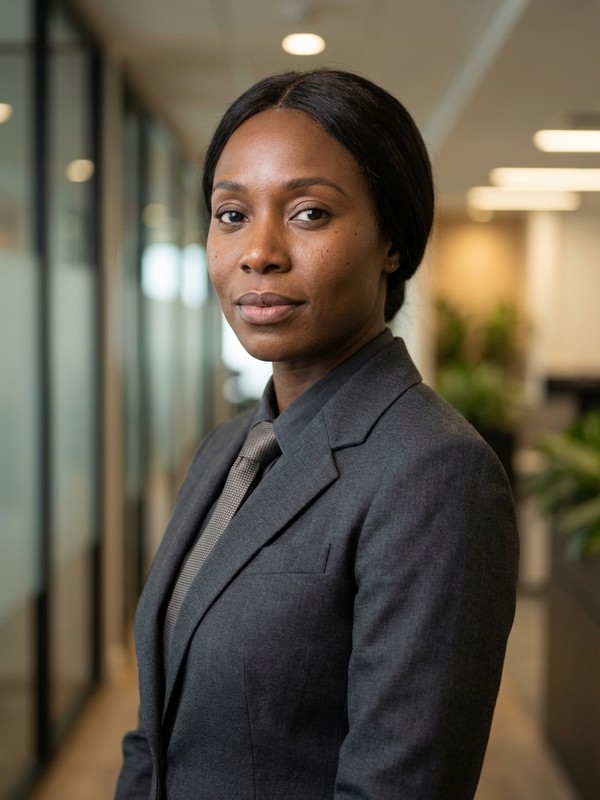
Modern office setting with natural window light and confident stance.

Golden-hour urban background with polished business casual framing.
If your current LinkedIn photo is cropped from an old event, missing entirely, or feels out of date, use this checklist before generating a new one.
Use a clear image of just you, with your face well lit and fully visible.
Upload up to 3 photos if you want better likeness and more consistent results.
Choose styles that match the way you actually show up professionally.
If you want a genuine smile in the result, showing your teeth helps.
A few common questions from people updating their LinkedIn profile image.
Yes. ioomm is a strong fit for LinkedIn headshots because the styles are built around business credibility rather than novelty AI portrait effects.
Use 1 to 3 clear photos of yourself in natural light, with one person in frame and your face in focus. Avoid filters, sunglasses, and heavy blur.
Clear eyes, balanced light, clean framing, and clothing that matches your role. ioomm is tuned around the psychology of a real business portrait rather than just generating a face.
Start with a free preview and see whether your profile looks stronger before you spend anything.